Connect a Camera
Connect your camera via a USB and configure it in the Settings screen
Webcam
Plug in any USB webcam and pick it from the device list. It works out of the box - nothing else to set up. The selection persists across sessions and restarts.
DSLR / Mirrorless
Once your camera is connected via a USB, follow below steps for BoothKita connection:
- Not shared: Once connected, your device will appear here because it isn't bridged into BoothKita yet.
- Bind camera: Click Yes if a Windows security prompt appears. This is a one-time per device, so future reconnects skips this step.
- Attach: Once your device is bound, attached it and the device moves into the Connected DSLR section.
- Select: Select your desired connected DSLR to be used.
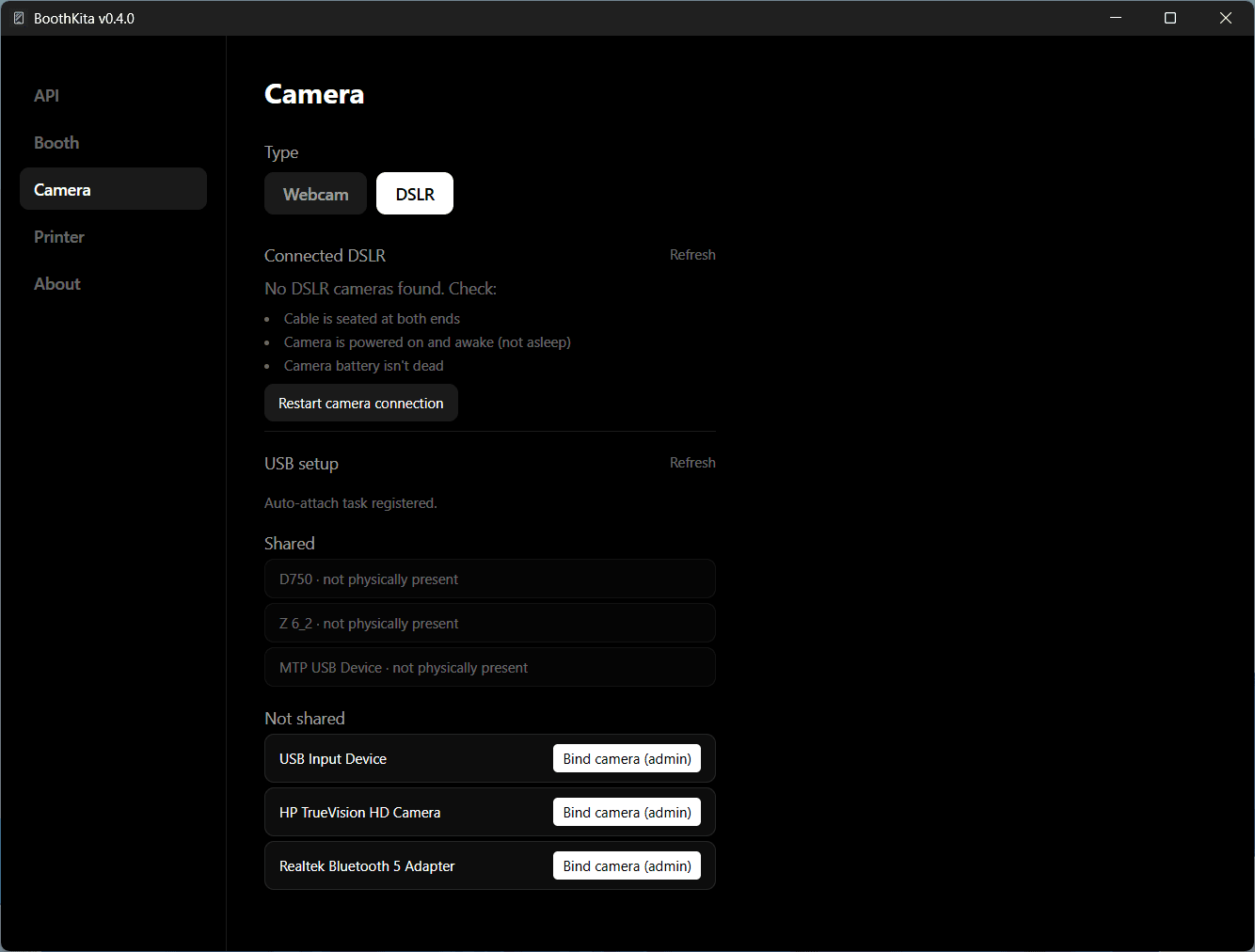
If a camera you expect isn't showing up, check the cable is seated at both ends, the camera is powered on and awake, and the battery isn't dead - then use Restart camera connection to recover a stuck connection.