Start a Booth
A Booth is what a kiosk runs for customers — its mode, templates, and hardware settings. This is the last step before the kiosk is live.
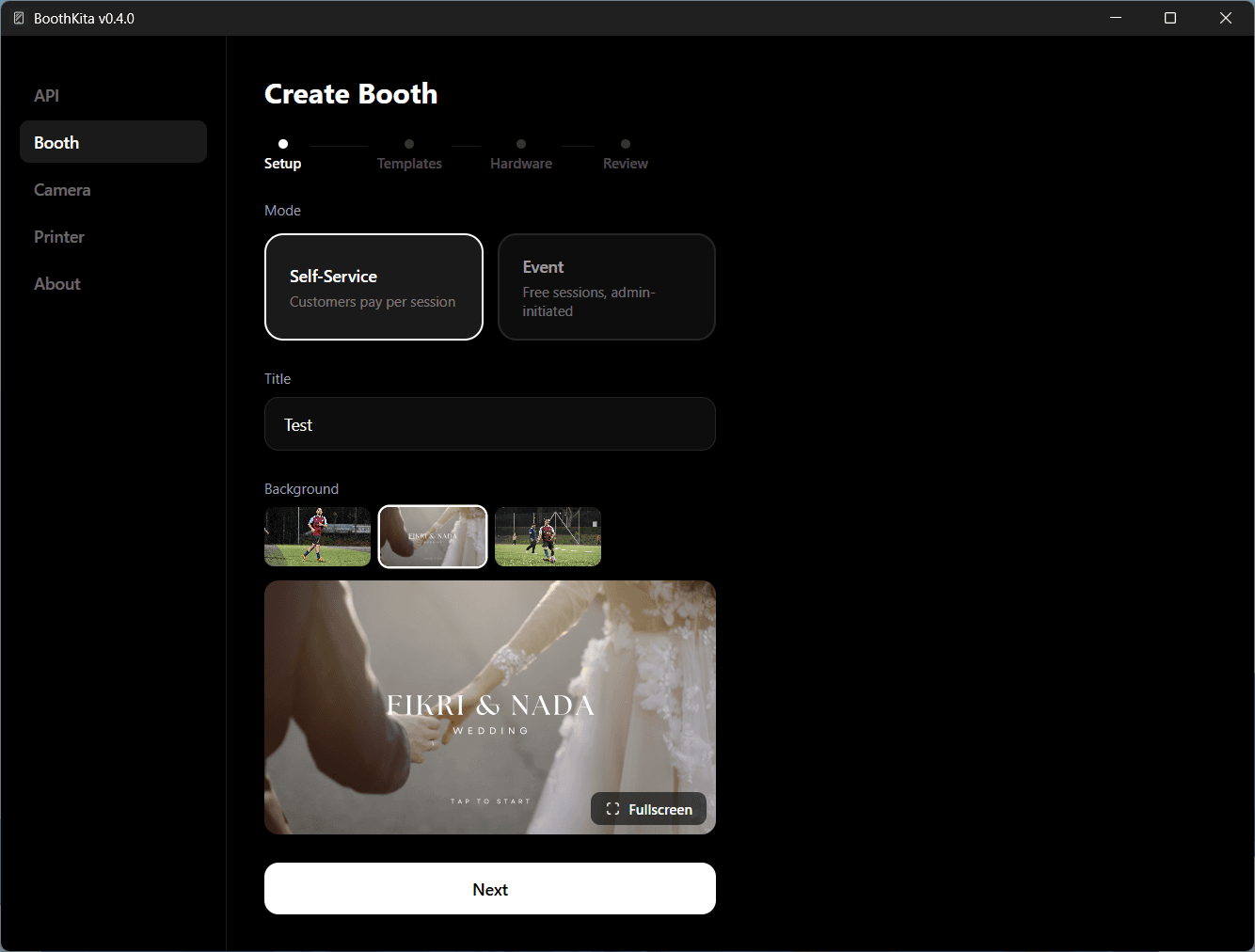
Setup
Choose a mode of either Self-Service (payment involve) or Event. Enter a title and optionally pick a background image, then tap Next.
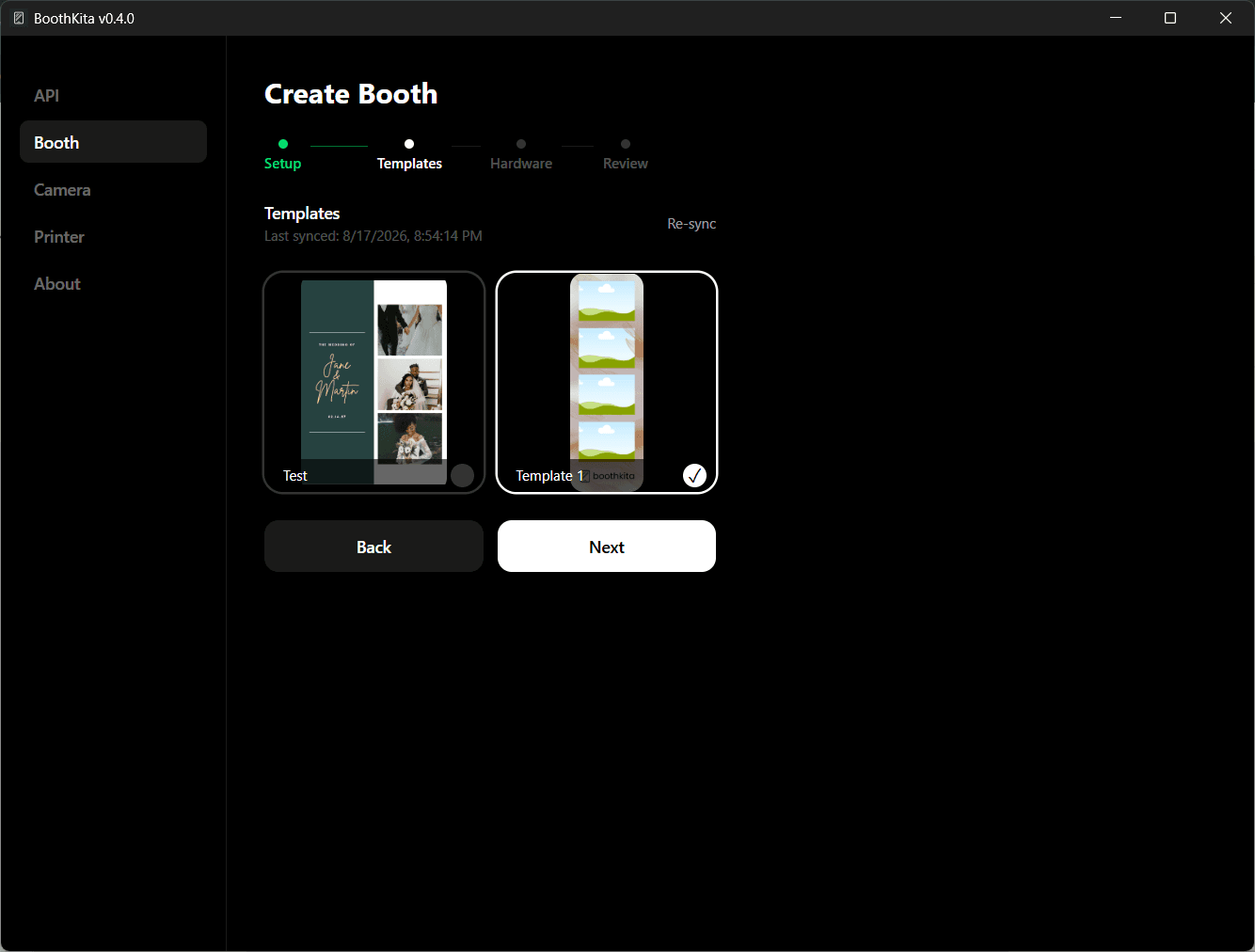
Templates
Select one or more synced templates. If you added or changed a template on the dashboard since the last sync, tap Re-sync first to pull the latest version.
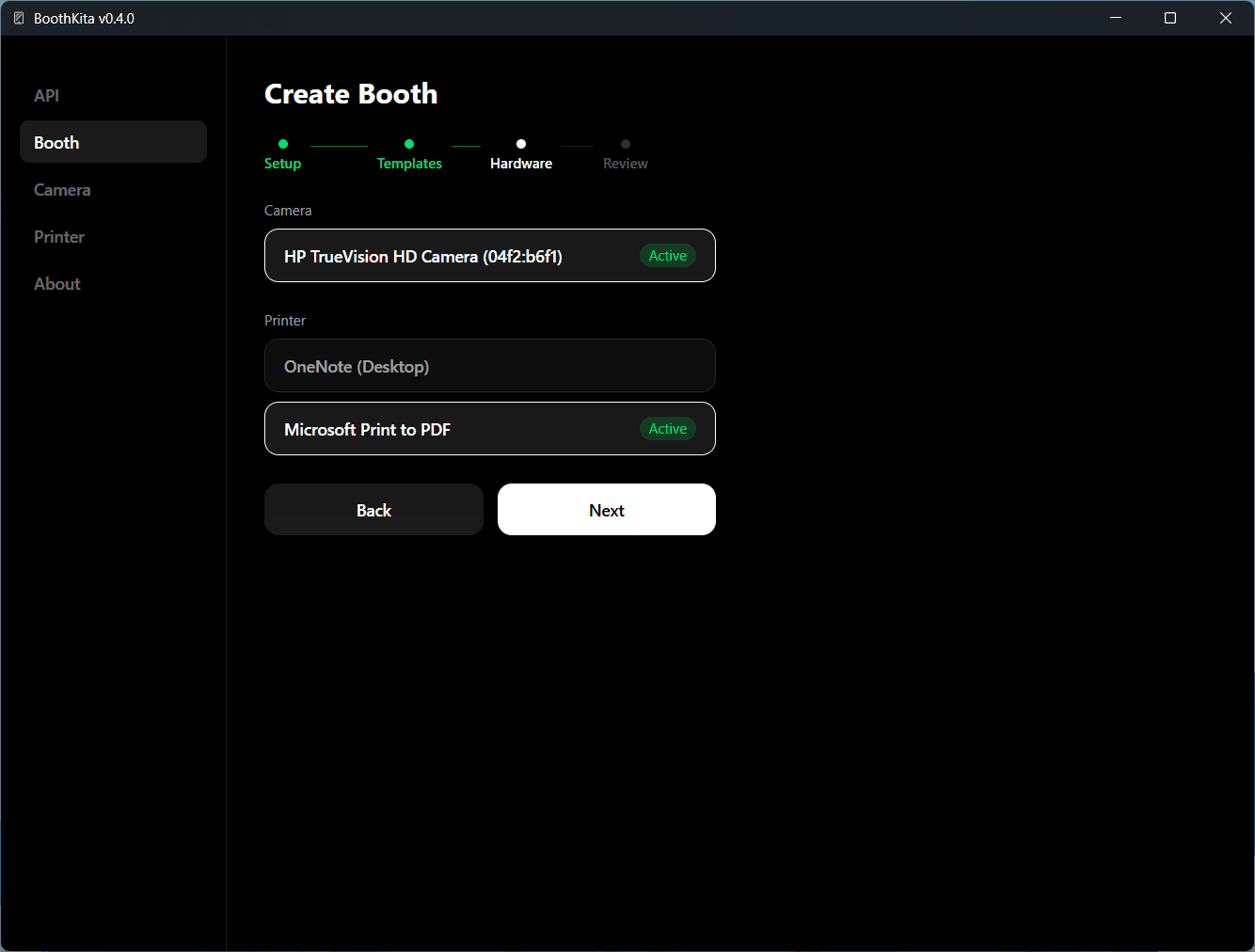
Hardware
Confirm the active camera and printer - both are carried over from Settings > Camera and Settings > Printer, shown here for a final check before going live.
Review
Review the summary and tap Start Booth. The kiosk is now open for customers. If the kiosk restarts, an active booth resumes automatically. To end a booth mid-event, use the operator gesture to open the operator menu and tap End Booth.