Template Management
Once your kiosk is connected, add your first template to kickstart your business.
Create a template
From the dashboard, go to Templates → New Template. Set a name, paper size, orientation, pricing, and copy settings.
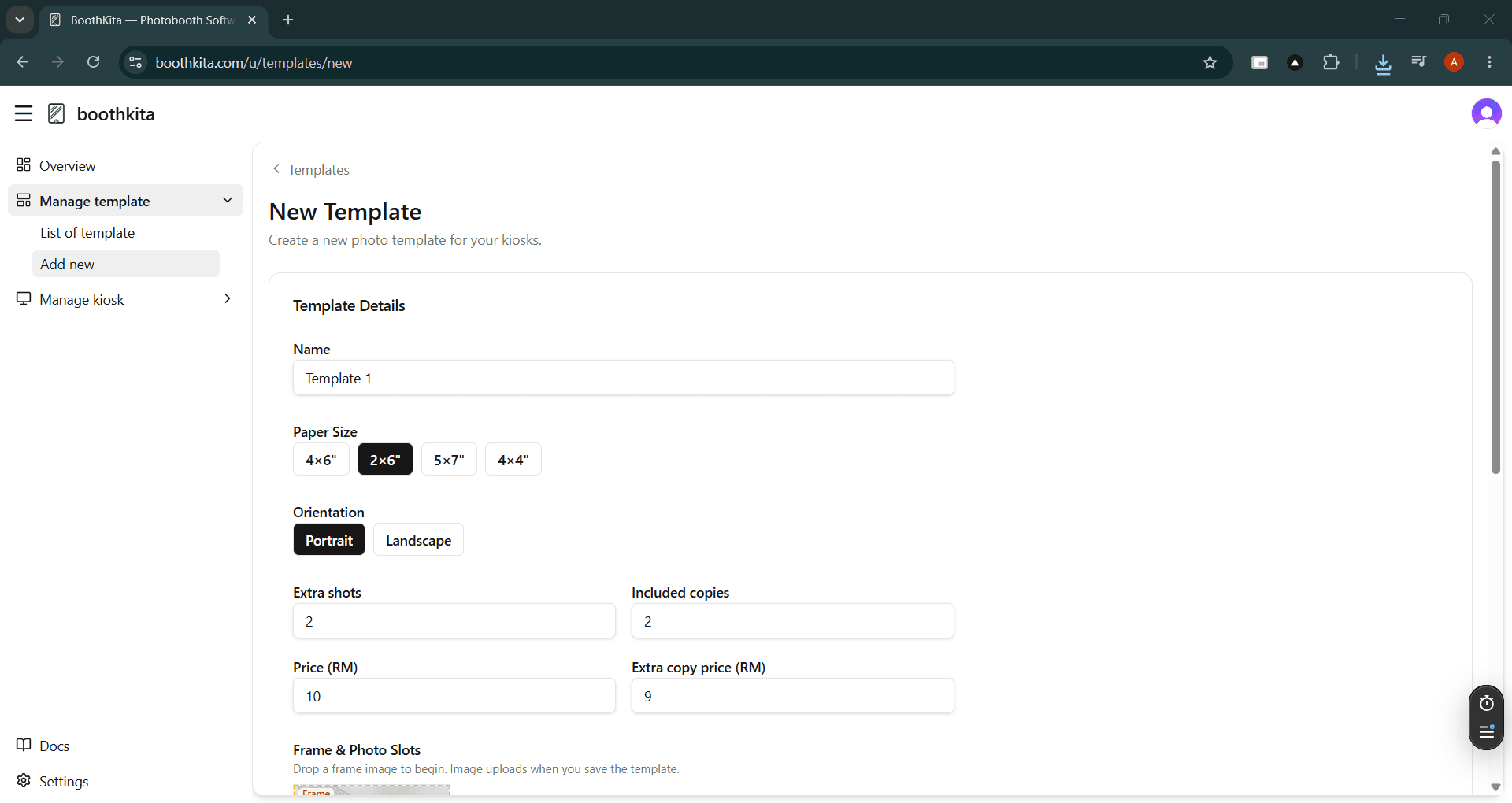
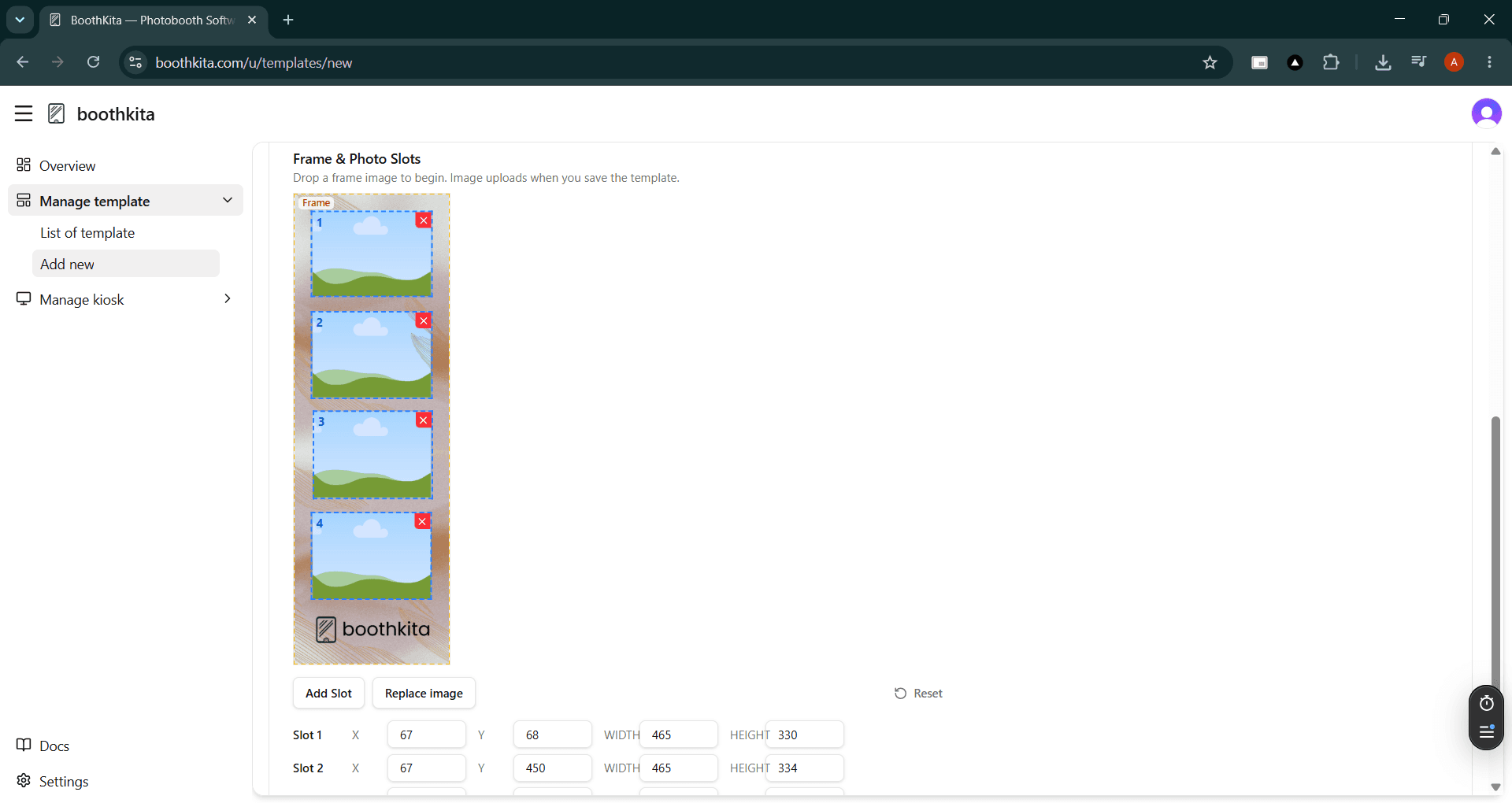
Then drop in a frame image and position the photo slots on the canvas:
Sync to kiosks
On the kiosk Settings screen, tap Sync to pull the latest templates.